Nintendo Switch Parental Cont…
- 4.7
- Rating
- 10.00M
- Installs
- Free
- Price

 Analysis by App-foxy
I spent time using Nintendo Switch Parental Controls as a practical household tool rather than treating it as a simple timer. Its purpose is clear: it helps an adult supervise play on a Nintendo Switch from a phone, with the useful advantage that the rules can be adjusted without interrupting the child at the console. That sounds straightforward, but the real value appears in the routine around it—setting expectations before play begins, checking the right controls, and using the daily report as a conversation starter instead of relying on it as a complete parenting solution.
This is a free lifestyle app from Nintendo Co., Ltd., designed for families who want a more visible way to manage Switch use. It is available for Android and iOS, carries an Everyone age rating, and supports devices running Android 8.0 or later. The app has reached over ten million installs and holds a 4.6 average from roughly 143,000 ratings, which matches my impression that it is a focused, widely used companion rather than an experimental add-on. The current version is 2.3.1.
How the everyday supervision routine works
The most sensible starting point is to connect the app with the Nintendo Switch console and then establish rules that fit the child and the household. I would not begin by choosing the strictest possible limit. A better baseline is to decide when play is normally allowed, how long a typical session should last, and what happens when the limit is reached. The app is much easier to use when those decisions are made away from the pressure of a child already playing.
You May Also Like

 Blood Strike: 2.5 Anniversary
Blood Strike’s Loadouts Turn Every Drop Into a Tactical Gamble
A close look at Blood Strike’s custom loadouts: how fast access to signature weapons reshapes its battle royale rhythm, rewards preparation, and narrows the gap between fights.

 Pandora - Music & Podcasts
Pandora’s Music Is Easy to Start, but Harder to Recover
Pandora’s strength is its low-effort path from a seed to a station. Its weak spot is how much confidence it asks you to place in connection, setup, and quiet recovery.

 8 Ball Pool
 Is Built on Rivalries, Rematches, and Routine
A close look at the rivalries, rematches, shared routines, and unanswered safety questions that turn a quick pool match into a persistent mobile community.

 Samsung Music
’s Quiet Strength Is Playing What You Already Own
Its reach comes less from spectacle than from dependable access to a personal library. That simplicity is both the app’s strongest retention engine and its ceiling.

 AccuWeather: Weather Radar
AccuWeather Review: A Quick, Clear Forecast for Everyday Decisions
For everyday plans, the best forecast is the one you can understand quickly. AccuWeather makes rain timing, radar, and local conditions easy to act on, with a few trade-offs.

 Hill Climb Racing
Why Hill Climb Racing Still Turns Crashes Into One More Run
A tiny car, a bumpy hill and one more upgrade: Hill Climb Racing keeps resurfacing because its simple chaos makes every near-miss feel personal.
More From Our News Desk
View All News


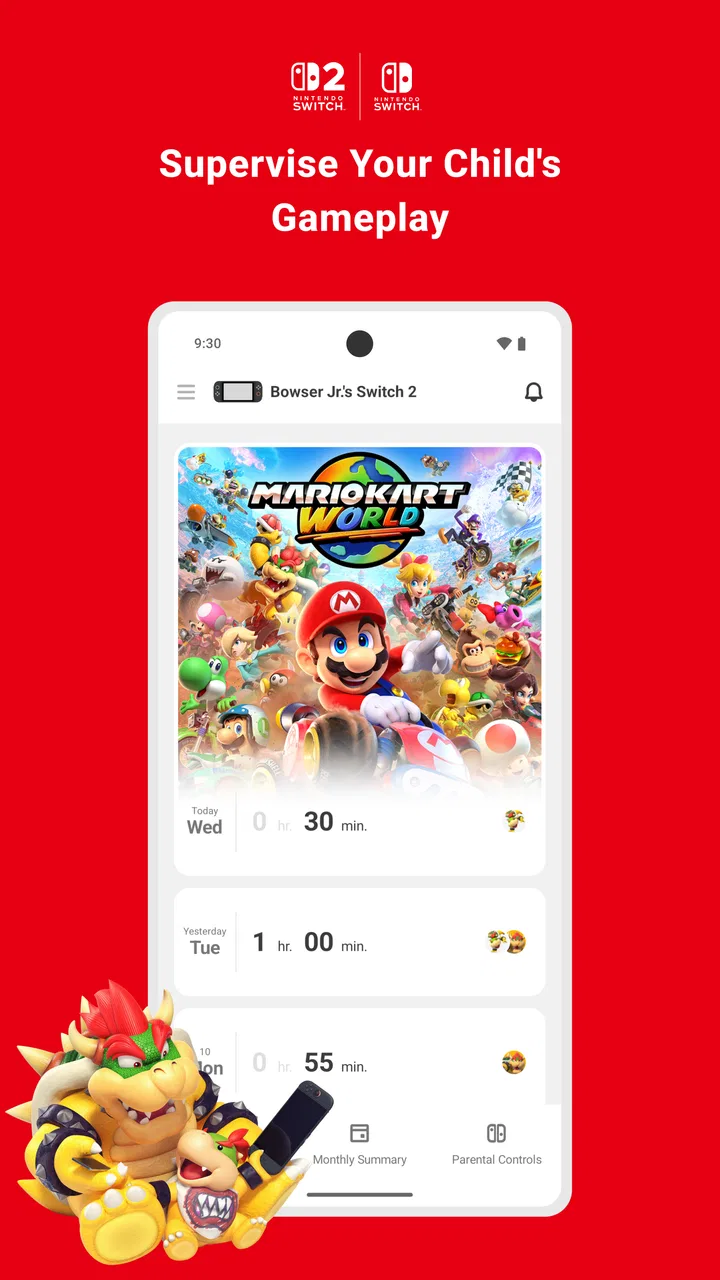
Once configured, the main routine is simple. I check the app before a busy day, confirm the planned play allowance, and review the activity afterward. The report is more useful when I look for patterns rather than reacting to one unusually long session. For example, repeated play late in the evening may point to a schedule problem, while a longer weekend session may be perfectly reasonable. The app gives the adult a shared reference point, but the family still has to decide what that reference means.
A realistic example is a school night where a child finishes homework earlier than expected and asks to play. Instead of walking to the console and changing settings in front of everyone, I can look at the current rule on my phone and decide whether the existing allowance is appropriate. If plans change, I can make an adjustment from the app, then explain the change clearly. That small separation between supervision and negotiation makes the process calmer than repeatedly checking the console itself.
The daily activity view is particularly helpful for replacing vague arguments with something concrete. “You have been playing all day” is easy to dispute; a visible record of the day’s use gives both sides a more accurate starting point. I still would not use the report as a courtroom exhibit. A child may have had permission for an unusual session, and time spent does not automatically reveal whether the game was educational, social, relaxing, or disruptive to sleep.
One habit improved my experience: I treated the app as part of a weekly family routine rather than something I opened only after a disagreement. A quick review at the weekend helped me decide whether the limits were realistic. If the same rule was being changed repeatedly, that usually meant the original setting did not fit real life. The app works best when settings are stable enough to be understood but flexible enough to reflect school, holidays, visitors, and family plans.
Settings that deserve attention before the first session
The central controls are the daily play-time limit and the bedtime setting. They solve different problems. A daily limit controls the total amount of play, while a bedtime restriction addresses when play should stop. Combining them is more useful than relying on either one alone. A child can stay within a daily allowance and still begin playing too close to bedtime, or stop at night but use the entire allowance before homework is finished.
I recommend checking the difference between a rule that ends play automatically and one that merely creates a warning. The practical choice depends on the child’s age, temperament, and ability to stop without an argument. Automatic enforcement is clearer, but it can also feel abrupt if the family has not agreed on what will happen when the session ends. A warning can preserve a smoother finish, although it depends more on the child noticing and respecting it.
Another setting worth considering is the age-based restriction for games. This is not a substitute for reading about an individual title, but it can provide a useful first filter when several games are available on the console. I found it most valuable in households where children share a system and adults do not recognize every game immediately. It reduces the chance of an unsuitable title being opened casually, while still leaving the adult responsible for making the final decision.
The communication restriction also deserves a deliberate choice. If the child uses games with social or communication features, limiting those functions may be more important than limiting the game itself. On the other hand, a blanket restriction can remove legitimate interaction with friends or family. I would review this setting alongside the actual games being played, not choose it in isolation. The right balance is different for a child playing offline and one using the Switch as a social device.
There is also a setting for restricting Nintendo eShop purchases. This is one of the most practical controls for shared consoles because accidental or impulsive purchases can create a separate problem from screen time. I would enable purchase protection before handing over the console, then explain that asking permission is part of the household rule. The app is strongest when it prevents a predictable issue rather than forcing the adult to repair it later.
Notifications are easy to overlook, but they affect whether the system becomes useful or annoying. If every alert feels urgent, I am more likely to ignore them. I prefer using notifications as prompts to check the situation, not as a replacement for speaking with the child. A quiet, consistent routine usually works better than constantly reacting to every warning.
Faster patterns for experienced users
After the initial setup, the fastest workflow is to make changes in batches. Instead of opening the app several times during a single conversation, I check the schedule, play-time amount, age restriction, communication control, and purchase restriction together. This reduces the chance of changing one rule while forgetting another. It also makes the settings easier to explain because the adult can describe the complete plan in one conversation.
Seasonal routines are another useful pattern. School days, weekends, holidays, and travel often need different expectations. I would not constantly redesign the whole system, but I would review the rules when the household schedule changes. The important point is to make the adjustment before the change begins. If the first day of a holiday is spent negotiating every session, the app feels like a source of conflict rather than a support tool.
I also found it helpful to separate “time available” from “time earned.” The app can help enforce a limit, but it does not create a reward system by itself. If a family wants extra play to follow completed chores or homework, that agreement must be handled by the adults. Trying to make the app perform as a full behavior-management system leads to disappointment. Its job is supervision, not motivation, discipline, or education.
For shared consoles, I would establish one adult as the primary person responsible for reviewing the settings, even if more than one parent checks the app. Consistency matters. If one adult changes the limit without telling the other, the child may receive mixed messages and the activity record becomes harder to interpret. A short household rule—who changes settings, when exceptions are allowed, and how they are explained—makes the technology work more smoothly.
A useful shortcut is to check the app before leaving the house when the child will be playing independently. That avoids discovering a problem after the session has started. It is also worth checking the console itself occasionally, because the phone app should not become an excuse to stop paying attention to what games are installed, who is using the system, or whether the family’s agreement still makes sense.
One non-obvious trade-off is that convenience can weaken communication. Because a parent can change a rule remotely, it becomes tempting to do so silently. I think that is usually a mistake. Remote control is valuable when an adult is at work, traveling, or managing a busy evening, but children should still understand the reason for a change. Otherwise, the app may enforce limits effectively while making the arrangement feel arbitrary.
Where the controls stop being enough
The biggest limitation is scope. This is a Nintendo Switch companion, not a general family safety dashboard. It cannot replace supervision across a phone, tablet, computer, television, or another game console. If the concern is total device use, a broader family-management solution may be more appropriate. Choosing this app makes sense when the Switch is the main issue and the household wants Nintendo-specific controls.
It also cannot explain why a child is playing. The activity record can show use, but it cannot tell me whether a session was calm, frustrating, social, creative, or connected to a particular family agreement. That is why I would avoid treating the report as a complete picture of wellbeing. It is a useful prompt for questions, not a psychological assessment.
Automatic stopping can create friction in games that do not offer convenient stopping points. Even when a limit is reasonable, ending at an awkward moment can feel unfair to the player. I would give a warning before the expected end and avoid setting the limit so tightly that every session ends in frustration. For younger children who cannot reliably stop, automatic enforcement may still be worth the trade-off; for older children, a warning-based approach may encourage better self-management.
Age restrictions also require judgment. A rating filter can block a game that an adult considers suitable, or allow a title that deserves closer inspection for reasons beyond age. Parents should look at the actual content and the child’s maturity. The app provides a control layer, not a universal answer to every question about a game.
Families should also remember that technical restrictions do not remove the need for account security and responsible device ownership. The supervising adult should keep control of the relevant account and phone access, and should make sure the child understands that changing settings is not part of normal console use. The app is effective only when the adult’s account remains the trusted control point.
For children who use the Switch mainly with friends, communication restrictions may require more discussion than a simple on-or-off decision. Blocking communication can reduce unwanted interaction, but it can also interfere with planned play among people the family knows. In that situation, I would focus on the actual social context and the child’s ability to report uncomfortable behavior, rather than assuming one setting solves everything.
Who should use it, and who should choose another approach?
I think this app is a strong fit for parents of younger children, families sharing one Switch, and households where the console is used at different times by different people. It is especially useful when adults want a clear record of play and the ability to adjust rules without standing beside the television. The free price also makes it an easy first step for Nintendo families who do not want to pay for a separate service.
It is less suitable for someone who wants detailed cross-device reports, advanced content analysis, or a complete digital-wellbeing system. A general parental-control service may be better if the household needs one dashboard for multiple platforms. Likewise, families with older teenagers who already manage their own schedules may prefer a conversation and a console-level agreement rather than frequent remote monitoring.
I would also skip it as the main solution if the real problem is not duration but conflict, sleep, or unsuitable content. The app can support a plan, but it cannot repair an inconsistent bedtime, replace a conversation about online behavior, or decide whether a particular game is right for a particular child. Those issues need human judgment first, with the app providing structure afterward.
My final view after building a repeatable routine
My experience is that Nintendo Switch Parental Controls becomes more valuable after the novelty of installation has passed. The strongest results come from combining a sensible daily allowance, a bedtime boundary, age and communication restrictions chosen with care, and a regular review of activity. None of those controls is remarkable alone. Together, they create a dependable routine that is easier to explain and maintain than improvised rules.
I appreciate that Nintendo Co., Ltd. keeps the focus narrow. The app does not try to become a general parenting platform; it concentrates on the Switch and gives adults practical oversight. That narrow focus is also its main limitation, so expectations matter. It is not a substitute for broader device controls or active supervision, and it should not be used to avoid conversations about responsibility.
The current version, 2.3.1, is a sensible choice for families using a compatible Android or iOS device, and its Everyone rating reflects its role as a household utility. The app is free, but the real cost is the time needed to set rules thoughtfully and keep them consistent. In my view, that effort is worthwhile when the Switch is a frequent source of negotiation.
My recommendation is simple: use it as a shared routine, not as a remote punishment button. Set expectations before play, check the controls in batches, review patterns instead of isolated incidents, and explain exceptions openly. Used that way, Nintendo Switch Parental Controls gives parents a practical layer of control without pretending that technology can replace judgment. For a Nintendo Switch-centered household, it is one of the more useful free tools to put in place early.
FAQs for Nintendo Switch Parental Cont…
01What features does the Nintendo Switch Parental Controls app offer?
The Nintendo Switch Parental Controls app allows parents to monitor their children's gaming activities. It includes features such as setting play time limits, monitoring game usage, and restricting online interactions. Parents can also view detailed game history and receive alerts if limits are exceeded, ensuring a balanced gaming experience.
02How do I set up the Nintendo Switch Parental Controls app?
Setting up the app is straightforward. First, download the app on your Android or iOS device. Then, link it to your Nintendo Switch console using the provided registration code. Follow the step-by-step instructions to customize settings according to your preferences, such as time limits and content restrictions.
03Can I use the app to manage multiple Nintendo Switch consoles?
Yes, the Nintendo Switch Parental Controls app allows you to manage multiple consoles from a single account. This is particularly useful for families with more than one device. You can set different restrictions and monitor the gaming activities of each console individually, ensuring tailored controls for each child.
04What happens if my child exceeds the set time limit?
If the time limit is exceeded, the app can notify you via your smartphone. You have the option to extend playtime or enforce the limit by suspending the console's activity. The app doesn’t automatically stop gameplay, allowing you to decide the best course of action for your family.
05Is an internet connection required to use Nintendo Switch Parental Controls?
An internet connection is required to initially set up the app and to synchronize data between the console and your smartphone. However, the app can track offline usage and update once the device reconnects to the internet, ensuring you have accurate and up-to-date monitoring of your child’s gaming activities.
Pros
- Easy to set up and navigate.
- Customizable time limits for play.
- Instant notifications to your device.
- Monitor gameplay history effectively.
- Supports multiple user profiles.
Cons
- Limited to Nintendo Switch devices only.
- Requires internet for full functionality.
- Some features need a Nintendo account.
- May not control in-game purchases.
- Interface can be unintuitive at times.

Nintendo Switch Parental Cont…
Gallery